
 +91-98558-85133
 +1(702)760-3099

Agentic AI That Not Just Automates But Also Streamlines RCM Workflow
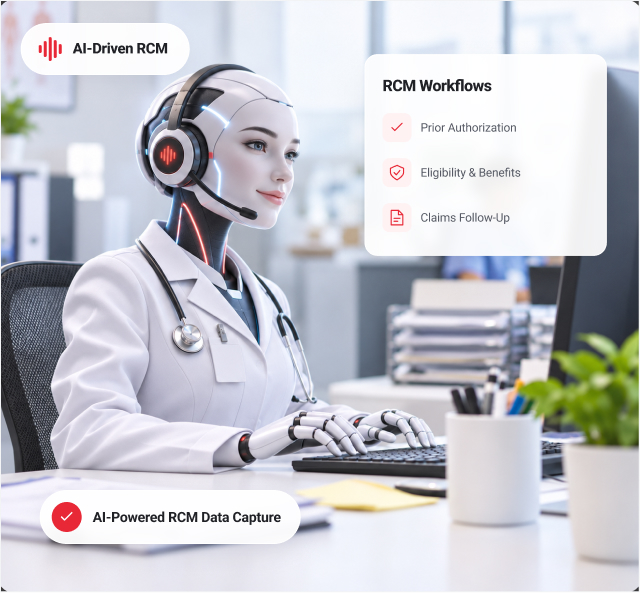
Trigma offers an AI healthcare RCM solution that streamlines pre-authorization preparation, clinical and patient information management, billing review, and claim submission. Its AI voice agents automate routine payer follow-ups across insurance A/R worklists, navigate IVRs, engage insurance representatives, and capture claim statuses, denial details, and next actions.
Manually compiling clinical records, patient data, and treatment details takes
4–8 hours.
Our agentic AI solution makes case preparation
10× faster.
Manual RCM Work Delays Claims and Collections
Missing records and incomplete billing handoffs create rework. Pending claims and denials add payer follow-up.
Where Manual RCM Work Delays Submission and Collections

Eligibility
Coverage, benefits, and authorization requirements.

Pre-Authorization
Clinical notes and medical necessity documentation.

Case Management
Patient data and treatment details.

Billing Submission
Documentation gaps and claim edits.

Denial Follow-Up
Payer reasons and account actions.
- Collecting clinical records, verifying insurance information, and assembling treatment documentation delay submission, while claim-status checks and denial follow-ups add work afterward.

Manual Case Preparation and Insurance Follow-Up Overload Your Team
Authorization requirements, scattered records, and incomplete billing details slow preparation. Payer requests and denials create additional work after submission.
Where Manual Work Drains RCM Team Capacity
- Authorization Readiness: Outstanding records and payer requirements.
- Case Assembly: Clinical, patient, and treatment information.
- Billing Rework: Missing documentation and inconsistent claim details.
- Insurance A/R: Hold queues and repeated follow-ups.
- Account Disposition: Unclear ownership and next actions.
Growing volumes stretch teams across authorization preparation, billing review, denial resolution, and aging accounts and delay the next account action.
Don’t Just Automate Claim Follow-Up. Complete the RCM Workflow.
Our AI healthcare RCM solution connects pre-authorization, case management, and payer follow-up. Teams can prepare authorization cases, consolidate clinical and patient information for billing submission, and capture claim updates, denial details, and required next actions with documented payer reference numbers.
Manual case preparation takes 4–8 hours; our agentic AI solution makes it 10× faster. AI accelerates preparation, while qualified professionals review clinical documentation and billing codes before submission.
From Pre-Authorization to Claim Follow-Up
Pre-Authorization
Verify eligibility and benefits, prepare clinical attachments and medical necessity documentation, and track authorization status, approved services, units, and validity dates when available.
Case Management and Billing Submission
Assemble clinical records, patient demographics, insurance data, and treatment details. Flag missing information for billing review and claim submission.
Claim Status and Denial Follow-Up
Track pending, denied, and reprocessed claims. Capture payer explanations, payment updates, and available adjustment codes, then route accounts for correction, appeal, or further follow-up.
Operational Support
Run individual or batch payer calls with transcripts, call history, and documented outcomes across insurance A/R worklists. Keep case preparation and claim follow-up connected through documented handoffs with clear ownership and follow-up.

From Authorization
Readiness to
Documented Claim
Action

Verify Coverage
Confirm eligibility, benefits, patient information, and payer- specific authorization requirements. Capture approved services, units, and authorization validity dates when available for the billing team.

Prepare the Case
Consolidate clinical notes, patient data, and treatment details. Surface missing records for review.

Review and Submit
Check that case documentation matches the service date, provider information, diagnosis and procedure codes, modifiers, and authorization details. Qualified professionals review billing information before submission.

Follow Up
Navigate IVRs and payer conversations to capture claim status, denial reasons, documentation requests, and reimbursement updates.

Route the Account
Record payer references and follow-up dates. Route corrections, appeals, and unresolved accounts to specialists.
Reduce RCM Workload with RCM Automation

Accelerate Preparation
Assemble clinical, patient, and treatment information 10× faster.
Support Authorization Readiness
Organize requirements, attachments, and status updates.
Improve Billing Handoffs
Flag documentation gaps before submission.

Reduce Payer Calling
Automate routine claim-status and payment follow-ups.
Support Denial Resolution
Capture reasons and next-action information.
Scale Insurance A/R:
Run individual or batch calls.

Maintain Visibility
Track transcripts, references, and account outcomes.
Safeguard PHI
Include patient information in deployment security requirements.

Support Specialist Review
Keep clinical decisions, coding judgment, and complex claim resolution with professionals.
Handle
10×
More RCM Follow-Up Calls
Trigma deployed an agentic AI voice workflow for healthcare RCM, automating high-volume payer follow-up through IVR navigation, representative conversations, structured information capture, and operational monitoring.
The deployment supported batch calling, real-time transcription, call tracking, retry controls, historical response logs, and reporting for documented insurance A/R activity.
Bring Your Healthcare RCM Workflow Together with Trigma
Prepare authorization cases, connect billing documentation, and automate payer follow-up so RCM specialists can focus on denials, appeals, and complex accounts.
FAQs
How does your healthcare RCM support the RCM workflow?
Our AI healthcare RCM solution connects pre-authorization, case preparation, billing submission, and insurance follow-up, helping teams move cases forward and manage submitted claims.
How does it handle claims that remain pending?
It checks the payer’s processing status, identifies outstanding documentation requests, and records the expected turnaround or next follow-up date when available.
Does your AI healthcare RCM replace clinical reviewers or RCM specialists?
No. It supports case assembly and repetitive administrative work. Qualified professionals retain responsibility for clinical decisions, coding judgment, final billing review, appeals, and complex claim resolution.
How does healthcare RCM support RCM providers managing multiple healthcare clients?
Healthcare RCM automation deployed by Trigma supports client-specific accounts, worklists, reporting, and user access, helping RCM providers organize each client’s follow-up activity separately.
What happens when an insurance representative cannot resolve an issue?
Our AI healthcare RCM records the unresolved issue and payer response for specialist review. The responsible team determines whether to correct the claim, request reconsideration, appeal, or escalate.
What information does your AI healthcare RCM capture during insurance follow-up?
It captures claim and authorization statuses, denial explanations, payment updates, and payer reference numbers, creating a documented record of the conversation.
How does your healthcare RCM connect case management with billing submission?
It organizes clinical records, patient demographics, insurance information, and treatment details into a structured case file. It flags missing information for the billing team to review before claim submission.
Can your healthcare RCM automation support high-volume insurance A/R follow-up?
Yes. Parallel batch calling helps teams work through large volumes of pending and unpaid claims, including month-end workloads, without placing every call individually.


