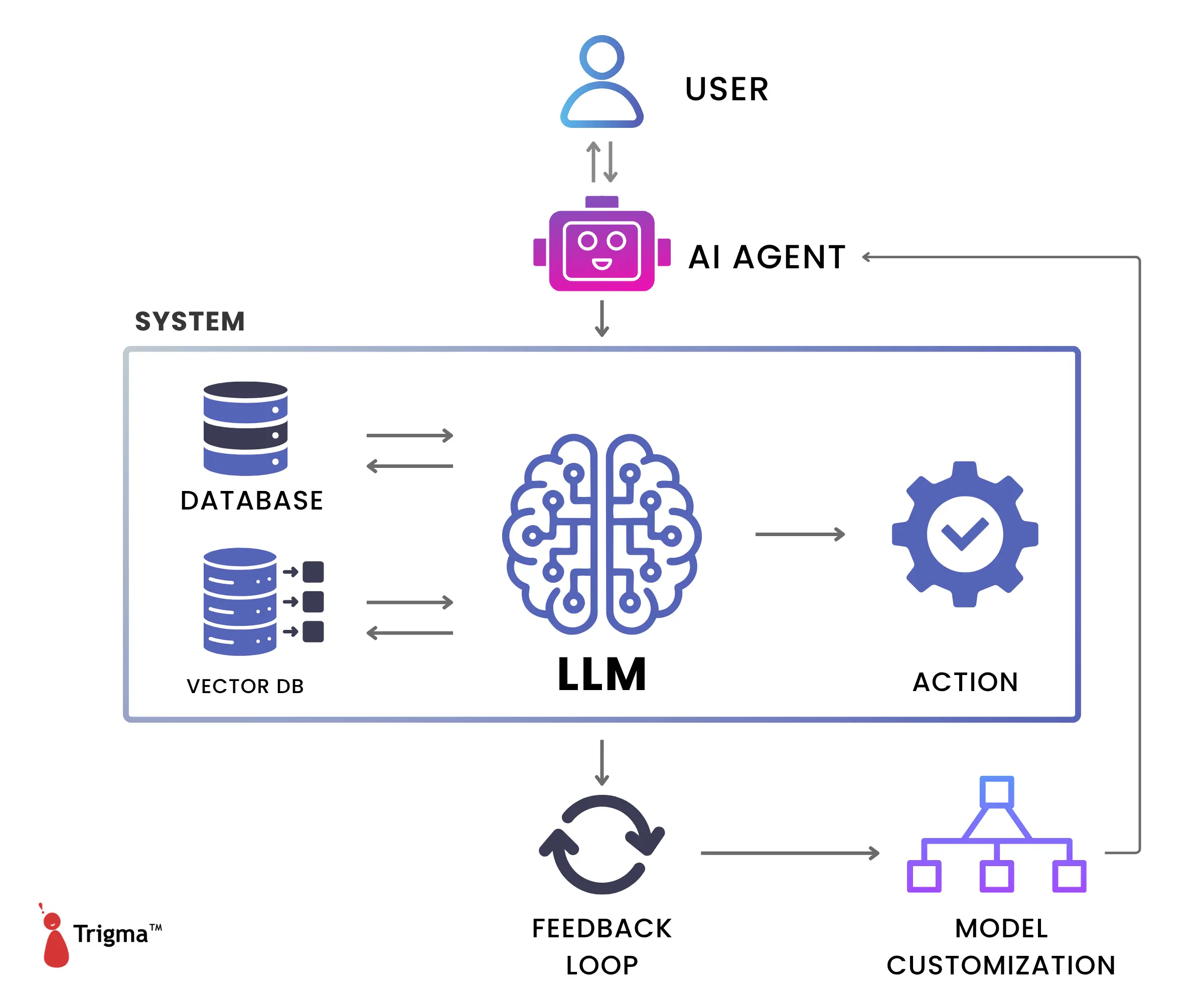
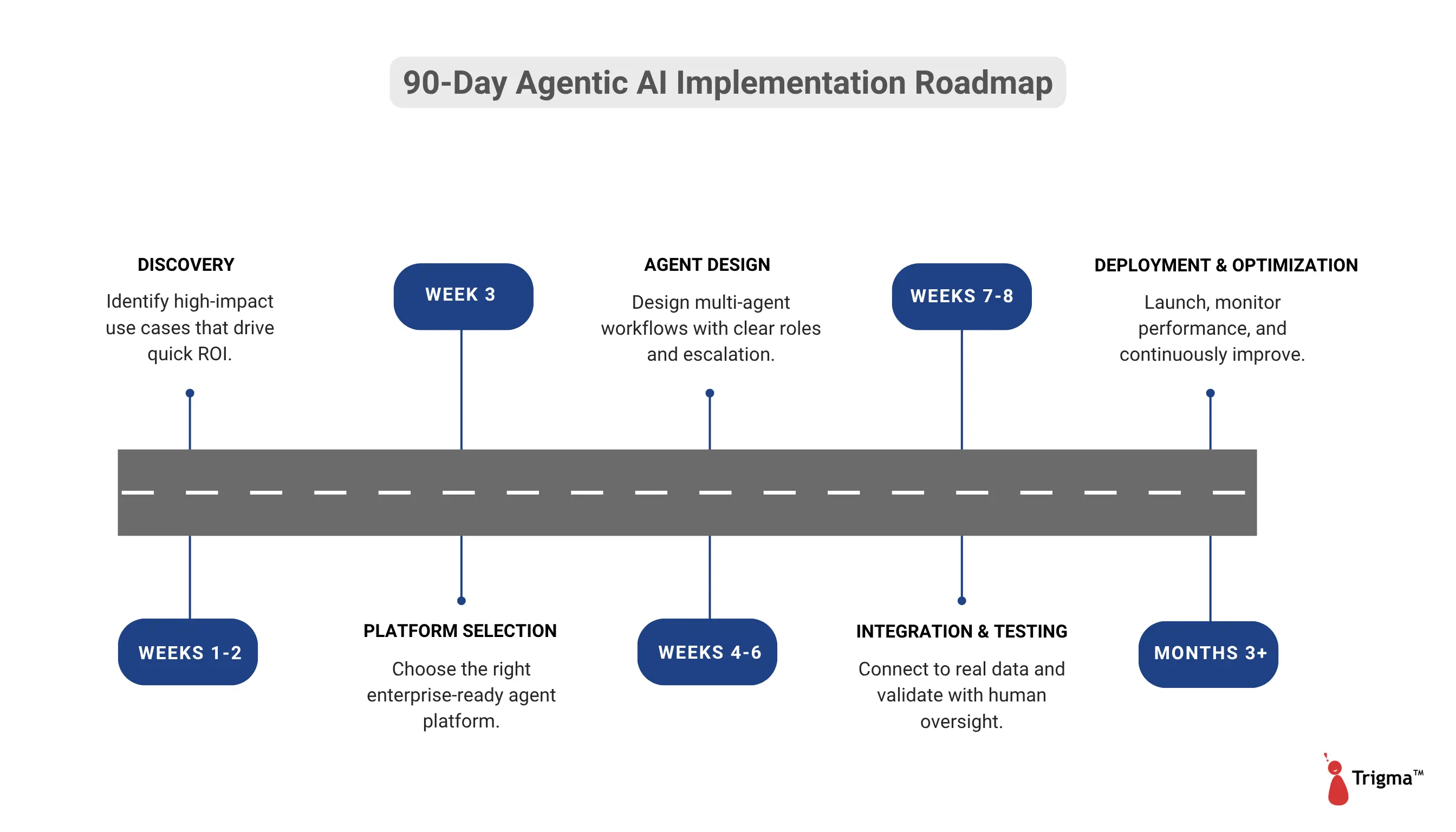
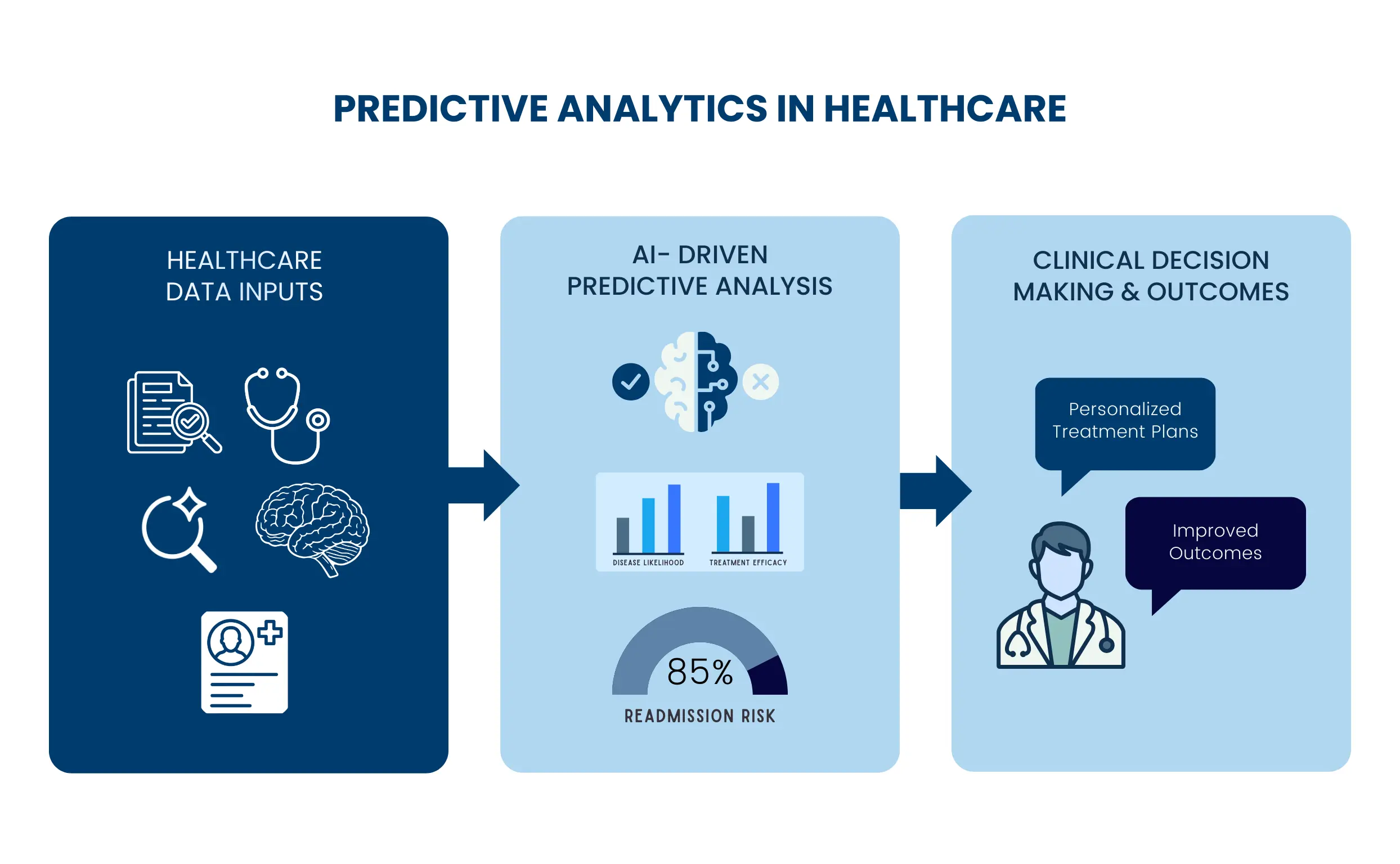
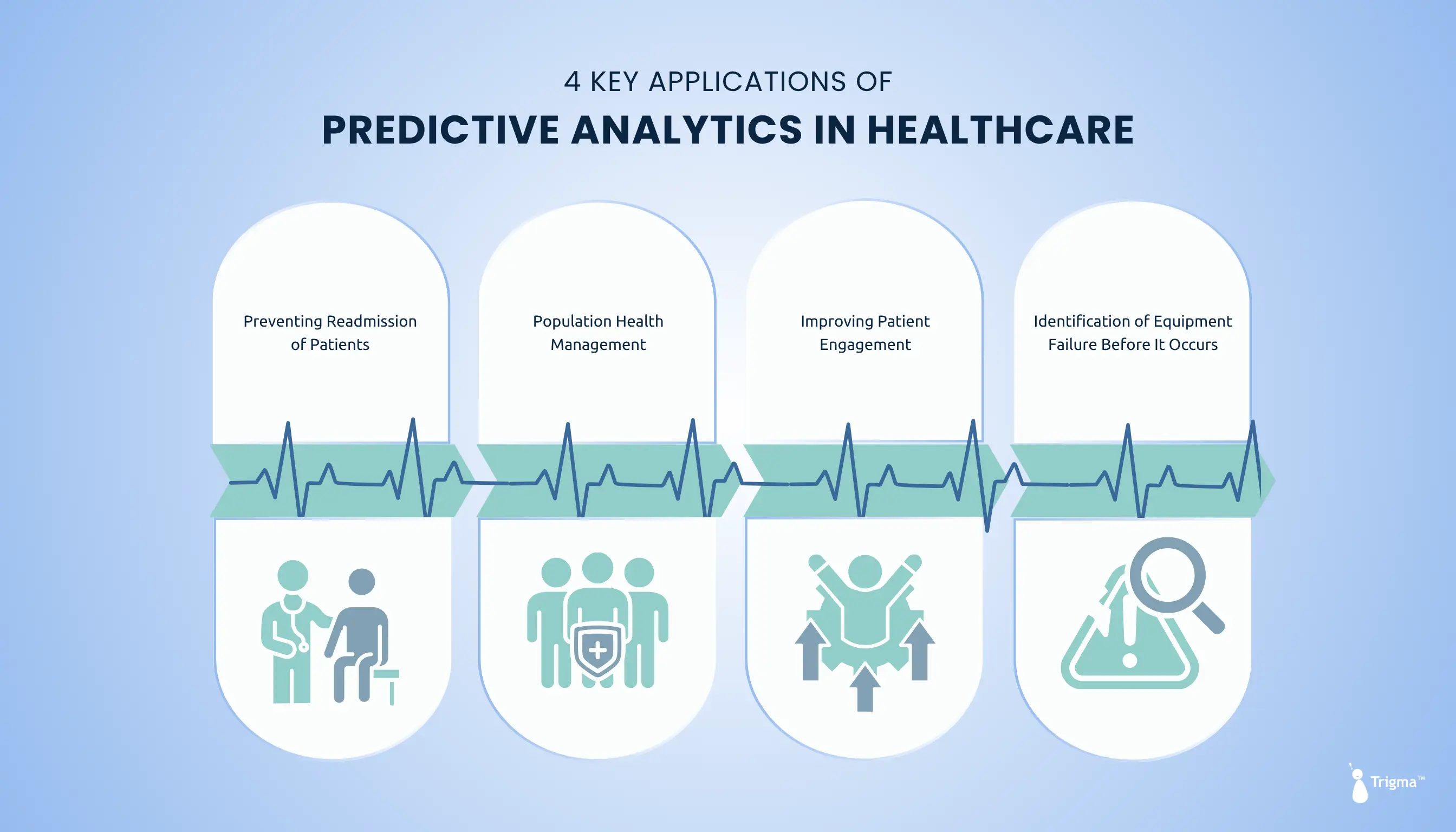
performance icon
Top IT Services Company 2025 Top Software Developers 2025 Top Generative AI Company 2025 G2 High Performer Winter 2025 G2 Leader Winter 2025 AI Deployment Company 2024 Top Software Development Company in USA for 2024 Top ReactJs Company in USA for 2024

Top AI Agent Business Ideas to Build a Profitable Business in 2026

60 Second Summary

  • Instead of manual tools, companies are building AI agents that work independently and scale without added headcount.
  • These agents handle software development, marketing, hiring, customer support, finance, legal reviews, scheduling, insurance claims, and sales outreach.
  • AI agents save time, improve accuracy, and increase revenue while freeing teams to focus on strategy.
  • Trigma helps businesses build scalable, revenue-generating AI agents that deliver real business impact in 2026

AI has quietly moved from "nice-to-have" tools to mission-critical teammates inside modern businesses.

Today, businesses aren't just experimenting anymore but have shifted their focus to autonomous AI agents that actually run workflows end to end. 

According to Precedence Research, the global AI agents market is expanding at a remarkable 45% CAGR and is projected to reach around USD 236.03 billion by 2034.

For startup founders and enterprise decision-makers, this shift opens a massive opportunity.

In this post, you'll discover the top 11 AI agent business ideas you can build to create real impact and real revenue in 2026.

10+ AI Agent Ideas You Should Try Out to Build a Profitable Business in 2026

As a business owner, you need to make those BIG and SMALL decisions related to sales, marketing, and finance.

Sometimes doing boring, repetitive tasks takes all your time, drilling down your productivity and leaving you TIRED at the end.

The most important thing that clings to most business owners is "creating a differentiation in the market" to outperform competitors.

The most successful software companies in the world, such as

  • OpenAI (ChatGPT Agent),
  • Anthropic (Claude Agent), and
  • Google (Gemini deep research agent),

succeeded not because their digital products were fancy but because they treated AI agents as their collaborative partners, not competitors.

That's where the real opportunity lies: in building AI agents that work on their own, that don't need any consultants, and are truly autonomous.

Here's how you can run your business by building a variety of AI agents as given below.

1. Software AI Agent

Software AI agent automating coding, CI/CD pipelines, and software development workflows for businesses

A Software AI agent will take the feature and think of how to reduce the time of that feature being built and deployed into production.

Think of it this way: the AI agent will take a feature from your Asana board or your Jira board, and without human interaction, it will say:

"Hey, I've done the code review, built artifacts, ran CI/CD tests, and I've already tested it. You can now deploy it to production."

2. Healthcare AI Agent

Healthcare AI agent assisting in diagnosis, patient monitoring, and medical workflows

The most pressing issues that the healthcare industry is facing include staffing shortages, loads of administrative work, along with figuring out ways to meet patient expectations.

The report states that most administrative spending in healthcare in the US is wasteful activity, and it accounts for 15-30% of the total healthcare spending.

And that's where Medical AI agents can shine, helping doctors and healthcare staff in a number of ways:

    • Reducing no-show rates by identifying the open slots, confirming patient availability, scheduling appointments, and sending regular reminders so that patients won't forget.
    • Recording and transcribing clinical notes of patient-doctor interactions and updating the same on EHR during the telemedicine visit.
    • Analysis of lab and imaging results, identifying which patients are at high risk, and suggesting the most suitable treatment plan based on their health history and current condition.
    • Helping in revenue cycle management by automating complex health workflows (patient registration, billing, insurance claims) from start to end.

3. Real Estate Deal Analyzer Agent

Real estate AI agent analyzing property deals and investment opportunities

What if you want to analyze 10 different properties and finalize one in under 10 seconds?

While manually analyzing the property performance can be a little tricky as it involves:

    • number-crunching exercises,
    • evaluation of property performance, and
    • finding out market value

to see whether the property value is appreciating or depreciating.

But weighing all these factors can be a little time-consuming to arrive at a final decision.

That's where real estate deal analyzer agents will do the heavy lifting. 

Users simply need to upload the property details and current price, and the agent will work in the background to calculate the ROI and forecast future projections for this deal.

More than that, it will tell you the confidence score and arrive at the final decision by suggesting whether to buy/hold/pass on this property

4. SaaS AI Agent

SaaS AI agent automating business operations, workflows, and cloud platform management

SaaS now stands for success as a service, not software as a service. Today, businesses want a button or an AI agent that creates an outcome. They don't need the software, workflows, and the data.

They don't want to manage customer relationship management software; they want to answer questions about their customer base, and it just answers and takes action on their behalf.

Think of a traditional SaaS-based claim application that helps insurance personnel store documents for claimants. But it's the human who still decides whether to approve the claim or not and makes the payment.

With the service as a software model, an AI agent will review the claims, match them against the policy rules, run fraud checks, and then issue the payment.

5. AI Marketing Agent

AI marketing agent automating campaigns, analyzing customer data, and improving marketing performance

It's like imagining an agent that will figure out "this is my ICP and I need to generate ICP leads that I can feed to the sales team" and figure out exactly what channel, who the targets are, and how to engage with them in the best way.

This marketing agent will take the inputs of your ICP and can actually figure out your messaging and can figure out how to actually participate in key channels.

6. AI Hiring and Recruitment Agent

AI recruitment agent screening resumes and automating hiring and talent acquisition process

Recruitment is never a one-and-done task because it involves multi-step activities.

Often, HR used to spend hours scouring for best-fit candidates, screening their resumes, conducting their preliminary rounds, and seeing whether the candidates are better fits for skills or are culturally fit.

But sometimes recruiters end up getting so many resumes every day that they don't get time to screen them and call candidates for interviews. That's where the role of an AI agent comes in.

These recruitment AI agents can parse thousands of resumes in a few minutes. 

They can then narrow down to a bunch of application forms, see whether the candidates meet basic requirements, can handle the projects, or have a few certifications. 

If not, they would reject the candidate and won't pass them to the human reviewer.

7. AI Customer Support and Resolution Agent

Customer support AI agent providing automated customer service and resolving queries

Most IT leaders are stuck with one thing; what things can we automate? Instead, they should ask how we can support our people and deliver better people's experiences.

Think about a case when you're running an ecommerce brand and you have a lot on your plate, such as managing your inventory well, thinking about those inflating marketing costs, and ensuring that no customer query gets unanswered.

But what happens behind the scenes? During every sale, support tickets rise up with questions about order status and returns; sometimes shipping delays can increase customer pain.

Even if you hire a large support staff to deal with their questions, during peak season, they can't handle those hundreds of customers when your business is expanding in 100+ different countries. 

Every unanswered question results in a negative customer review.

That's where automation can come in.

Support agents can handle those recurring FAQs on the go, automate the order tracking process, update the clients, and manage the returns with no manual intervention.

And after you deploy them in your workflows, even during the busiest seasons, you will see shiny results like this: faster resolution, 24/7 support, increased CSAT scores, and escalation of queries only when needed.

Note :

The more effective you are in solving customer issues in near-zero time, the more companies will pay you.

8. AI-Powered Legal Contract Review Agent

Legal contract review AI agent analyzing contracts and automating legal document review

Generally, legal teams spend so much time reviewing contracts such as NDAs, vendor contracts, and compliance reports. This is considered one of the most time-consuming and manual tasks.

With an AI contract review and legal compliance agent, analysis of legal documents, identifying risk clauses, and suggesting revisions in seconds can be made possible with 100% accuracy.

How does the contract review process work?

You drop in the contract, the agent will cross-check the terms against your internal policy/playbook, flag the issues based on jurisdiction regulations with explanations. This becomes a starting point for the lawyer to review it.

9. AI Finance Agent

Finance AI agent automating financial analysis, reporting, and business decision making

Just like automation and AI agents are transforming other industries, they're also changing the way finance teams plan, analyze, and report their finances.

One of the most time-consuming aspects of finance is when there are month-ends and quarter-ends; manual reconciliations often take a lot of time.

A study from the Hackett Group states that accountants spend 65% of their time on repetitive manual tasks, leaving no time left for strategic tasks.

But when automation is applied in reconciling financial transactions, this speeds up not just the close process but also frees up the finance team to focus on analysis instead of data collection.

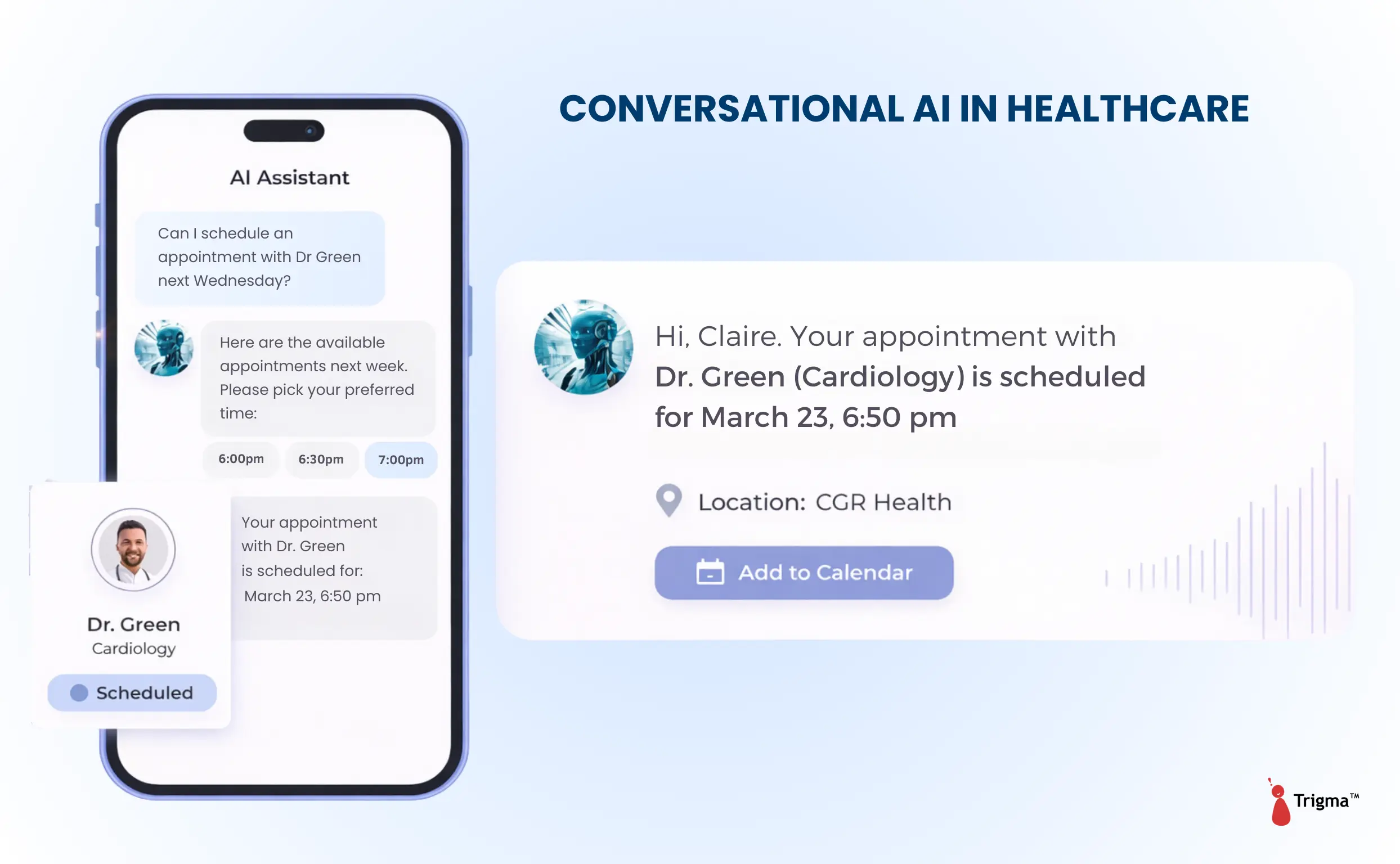
10. AI Appointment and Scheduling Coordination Agent

Appointment scheduling AI agent automating calendar management and meeting coordination

Scheduling appointments drains productivity. Businesses lose hours coordinating calendars, checking availability, and sending follow-ups.

An appointment scheduling agent automates this entirely. 

It connects calendars, CRM systems, WhatsApp, booking tools, and email in one place like scheduling, rescheduling, and sending reminders without human intervention.

Missed appointments cost money. In healthcare alone, they cost around $22,872 per practice annually.

AI-powered scheduling agents reduce wait times by matching patients with doctors based on symptoms, availability, and urgency—filling slots faster while letting patients book through calls, chats, or emails instantly.

11. AI Sales Outreach and Lead Qualification Agent

AI sales outreach agent automating lead generation, qualification, and sales engagement

Sales teams spend a lot of their time on unqualified leads and admin work such as research, emails, and CRM updates. This leaves less time for actual selling.

An AI sales outreach and lead qualification agent automates this work. It finds them, researches them, follows up, and books meetings automatically. This helps businesses grow their sales without hiring a large sales team.

For example, an agent can find hundreds of relevant leads, verify emails, send follow-up sequences, and book calls.

Even if the lead comes into the CRM, the AI agent will:

    • Send a personalized email
    • Ask some questions to see whether the lead is qualified enough or not, such as budget, timeline, and project needs
    • If the lead is qualified, it then passes them on to sales reps

How Can Trigma Help You Automate Your Business Using AI Agents?

Want to turn your agentic AI idea into a revenue-generating agent? Our custom AI agent development team helps you achieve your business goals.

We help you build intelligent solutions by validating your business idea first, creating prototypes, and deploying scalable solutions.

Every agent we build for your workflow can be integrated with your existing systems such as CRMs, ERPs, etc., and can deliver real business outcomes such as reducing manual effort, enhancing customer experience, etc.

We developed an AI-powered outbound calling system where hospital revenue teams spend hours making calls to insurance companies for claim status updates. This results in a less efficient team plus slow TAT.

But we developed an Agentic AI system powered by GPT-4 which can handle natural human-like conversations, including follow-up questions and confirmation checks.

Result: 10x more calls handled per day and 40-60% reduction in follow-up labor costs.

FAQs

Can an AI agent help you make money?

Yes, creating an AI agent is profitable for your business because one agent can help you scale your business plus serve multiple users at one time.

In fact, businesses which are implementing AI agents saw a 30-70% reduction in operational workflows and enhanced customer experience.

What's the timeline for building an AI agent?

Creating a simple automation tool like a lead qualification MVP can take around 3-6 weeks, while developing a complex AI agent takes nearly 3-8 months.

Are RAG systems more expensive to run than LLMs?

The cost of creating a simple AI agent can range between $10,000 to $50,000, while complex, multi-agent systems will exceed $120,000.

LLM vs RAG: Which AI Approach Should You Use in 2026?

60-Second Summary

  • AI products often fail when standalone LLMs can’t handle real business questions or private data.
  • RAG (Retrieval-Augmented Generation) solves this by combining LLMs with company documents, databases, and real-time information.
  • Unlike traditional LLMs, RAG delivers accurate, context-aware answers grounded in enterprise data.
  • RAG works by indexing internal data, retrieving relevant information, augmenting queries, and generating precise responses.
  • Enterprises use RAG for customer support, finance, healthcare, legal research, and internal knowledge management.
  • The most scalable approach is a hybrid model: LLMs + RAG for trustworthy, production-ready AI solutions.

You shipped an AI feature that sounds smart but breaks the moment users ask real business questions.

In 2026, founders and tech leaders face a critical choice: rely on standalone LLMs or power them with Retrieval-Augmented Generation (RAG). 

With enterprises demanding accuracy, fresh data, and private-context intelligence, this decision directly impacts trust and scalability.

In this post, we'll break down LLM vs RAG, explain where each shines, and help you choose the right architecture for building production-ready AI products.

A Sneak Peek of RAG

Retrieval Augmented Generation (RAG) model is a type of AI that can understand and read your company docs such as policies, manuals, and reports. 

It pulls information from your proprietary systems such as Google Drive, Confluence, or Jira.

If you ask RAG questions such as "What's the refund policy for Europe?", it would give you answers that are not based on generic internet stuff; instead, it's real grounded information.

Consider RAG as your LLM + Private data = Powerful Context AI

Let's say Tesla came out with their new earnings report, but using GPT-4, its knowledge cutoff was months ago, and it would have no knowledge of the quarterly report from Tesla. 

But what we can do is take that report and store it in your RAG database.

The next time you ask for information about Tesla earnings, the model takes relevant info from the document and appends it to the prompt.

Here's how the model would respond to the user when it's trained using the RAG technique:

Screenshot showing an AI-generated financial analysis of Tesla’s quarterly earnings based on a recent 10-Q filing, highlighting revenue, net income, earnings per share, and structured financial insights extracted from the document.

How Does Retrieval Augmented Generation Work?

Diagram illustrating a RAG orchestration workflow where a user query is embedded, semantically retrieved from a vector database, managed within a context window, augmented into a prompt, processed by an LLM, and returned to the user, with optional feedback and monitoring for continuous system improvement.

Though Retrieval Augmented Generation sounds COMPLEX, it's one of the most effective ways of making your LLMs smarter.

RAG augments the capabilities of LLMs because several components work together:

StageComponentWhat does it do?
Step 1IndexingYour organization's internal documents (PDFs, knowledge bases, notes, wikis, codebases) will be converted into vector embeddings (numerical representations).

These embeddings will be stored in the vector database.
Step 2RetrievalThe retrieval layer will search the vector database and provide the most relevant information based on what the user asks.

It works by finding the semantically related chunks from the external source.

Note: Consider the Retrieval layer as the SEARCH ENGINE.
Step 3AugmentationThe retrieved data and user questions are combined to provide context-specific, accurate responses because now the LLM has been provided access to the organization's extensive knowledge database.
Step 4GenerationThe Large Language Model (LLM) will produce a specific response based on the augmented prompt.

Use Cases of RAG for Enterprises

Let's discuss the applications of RAG for enterprises, which are as given below:

Infographic highlighting enterprise RAG use cases including customer support automation, financial reporting, patient healthcare support, internal knowledge database creation, and legal document analysis.

Customer Support

RAG transforms enterprises by changing their customer support game.

When virtual assistants have been given access to internal docs, ticket histories, and support guides, they can understand the context of conversations. It then provides personalized responses (grounded in customer data), not copy-paste scripts.

As your business scales and your documentation grows, these virtual assistants become SMARTER; they never forget anything and still provide relevant updates.

Financial Reporting

Financial analysts spend a lot of time collecting data from different sources to create reports, investment strategies, and risk assessments.

Compared to standard LLMs, RAGs are a better choice for doing audits and regular reports because the risk of errors will be significantly lower.

Patient Support Healthcare

Retrieval Augmented Generation stands strong in the healthcare research and diagnosis area.

Tools such as IBM Watson Health use the RAG technique to analyze huge amounts of medical data such as electronic health records for cancer diagnoses and creating personalized treatment plans.

When using IBM Watson for Oncology, RAG techniques augmented human expertise by providing accurate treatment recommendations that matched expert doctors' decisions 96% of the time.

That's how RAG-based systems not only enhance patient care but also free up healthcare professionals to focus on managing patients rather than data.

Internal Knowledge Database Creation

The RAG framework acts as an internal productivity tool for employees to access internal information. Gone are the days when they used to dig for hours to find information from reports or manuals.

Legal Document Analysis

RAG systems are helping lawyers with legal research and drafting purposes by searching through voluminous amounts of legal databases and statutes.

This way, a lawyer can draft accurate contracts that comply with legal requirements. This way, the document preparation process will be faster and error-free.

What are Large Language Models (LLMs)?

LLMs are foundations of artificial intelligence and are really good at understanding natural language, summarizing content, generating insights, and explaining concepts, but they have 2 big limitations.

  • Unlike agents, they can't log in, retrieve data, and update systems.
  • Large language models don't have access to internal company documents, customer support history, or brand style guides.

For companies building generative AI tools, LLMs are the main driver behind the chatbots and AI tools. But when these are fine-tuned or combined with RAG, they become more suitable for enterprise use cases.

How Large Language Models Work?

LLMs are trained on massive amounts of data, and during training, these models can recognize patterns such as syntax, context, and meaning.

Then, they're trained using deep learning techniques wherein the model learns to predict the next word to form sentences.

Diagram outlining the LLM development lifecycle, including data preparation and tokenization, base model training and fine-tuning, retrieval-augmented grounding, deployment and inference, and continuous monitoring with feedback loops.

Key Differences between LLM and RAG

Here's the side-by-side comparison of how traditional LLMs differ from Retrieval Augmented Generation:

Basis of ComparisonStandard LLMsRAG LLMs

What is it?
Traditional LLMs generate information based on what they were trained on. They don't have access to external information.RAG adds an extra step before answering questions.

As it's connected to external knowledge databases such as APIs, documents, or databases, it provides relevant information.

What is its primary use case?
Generate responses purely based on the patterns learned during the training process.Search external data first (databases, documents, APIs) and then generate information based on retrieved data.

Data Usage
Use only pre-existing training data; good for creative and general tasks.Access external data sources such as internal company documents and knowledge databases, so they're suitable for enterprise and compliance use cases.

Flexibility in Responses
No real-time information; responses are limited to what the model already knows.Adapt responses based on real-time or specialized information.

Performance with Long Context
Generate content on the go, but after a certain point, they hallucinate and start giving inaccurate responses.Handle detailed and specific text because of the retrieval mechanism.

Specialization of Tasks
Suitable for tasks that require answering general questions, writing, and summarization.Best for detailed, fact-based questions.

External Dependency
Work independently, no reliance on external data sources.Dependent on external data sources for better answers.

Application
Ideal for content creation, creative writing, and NLP tasks.Good for areas where accuracy is pivotal, such as legal research, healthcare, medical queries, customer support, etc.

RAG vs LLM: Which Is the Right Architecture Model for Your Business?

Selecting between RAG and LLM can be a tough choice, especially when the adoption of Gen AI is growing.

Side-by-side comparison showing a standalone LLM handling queries using general reasoning versus a RAG system that retrieves external documents through a retriever before generating context-aware responses.

When to Use RAG?

RAG is generally good for knowledge-intensive tasks. Use it when you need accurate answers from private or specialized data, and it's good for enterprise Q&A, document search, and chatbots.

Retrieval Augmented Generation technique is useful for areas like:

  • Where information changes quickly, such as in finance or regulatory compliance. This means RAG can pull data from updated sources in real time.
  • RAG can enable virtual assistants to provide personalized responses based on customer data and their history.
  • Sectors such as healthcare and legal, which require deep domain data. 

In healthcare, when it can retrieve data from the latest medical research and medical history, it can help clinicians make better clinical decisions.

While in the case of legal settings, it helps legal professionals analyze huge volumes of contracts and make better legal decisions.

When to Use a Large Language Model?

Use LLMs when you:

  • Perform tasks that rely on general knowledge
  • Brainstorm marketing copy
  • Summarize lengthy reports or meetings

But most organizations don't look for "either/or"; they adopt a hybrid approach. This means they combine the capabilities of RAG with LLM to create:


  • Smarter and context-aware applications
  • Generative models for natural answers
  • Responses that remain accurate using retrieved data

How Can Trigma Help You with Data-Driven RAG and LLM Solutions?

At Trigma, we know how to solve complex business challenges using advanced LLMs.

From creating agents that enhance customer experiences to generating tools for content creation and marketing, we know how these intelligent systems can help you generate eye-catching images and content.

A client approached Trigma for creating a mental health AI chatbot. 

They wanted to engage their customers and needed an AI/ML solution that could identify stress levels and then recommend podcasts, blogs, or medical advice to help cope with mental stress.

Result - The AI-powered mental health chatbot delivered measurable improvements in user engagement and support efficiency. Approximately 30% higher engagement was observed as users completed guided conversations, while 30–40% of routine queries were handled autonomously. Continuous learning from user interactions helped improve response relevance and reduced the operational load on support teams.

Need help in developing RAG or an LLM for your business?

FAQs

Which approach works best for customer service applications?

RAG outperforms traditional LLMs as it pulls relevant information from multiple data sources in real time.

LLMs, though good for conversational responses, struggle to provide accurate answers without real-time data access or external databases.

Can LLMs access external knowledge the way RAG does?

LLMs can produce human-like text, but they don't integrate well with external knowledge databases. RAG, on the other hand, retrieves real-time information from external systems, making the outputs more context-driven.

Are RAG systems more expensive to run than LLMs?

RAG models are hugely resource-intensive, and they require more computational resources as they retrieve relevant data first and then generate a response.

Which industries mostly benefit from RAG and LLMs?

RAG is suited for industries that require accurate and up-to-date information, such as healthcare, finance, and legal services.

LLMs are extensively used for tasks that require content creation, summarization, and translation in the areas of marketing, media, and education.

HIPAA-Compliant App Development Guide

60-Second Summary

  • Building a healthcare app in 2026 requires more than innovation and demands strict HIPAA compliance to protect patient data and avoid legal risks.
  • HIPAA governs how protected health information is collected, stored, shared, and secured, making compliance mandatory for apps handling medical or billing data.
  • HIPAA-compliant apps build patient trust, prevent costly fines, and enable secure services like telemedicine, patient portals, and AI-powered healthcare solutions.
  • Key compliance practices include secure cloud infrastructure, data separation, end-to-end encryption, audit logs, access controls, and regular security assessments.
  • Partnering with experienced HIPAA-compliant app developers helps healthcare businesses build secure, scalable, and future-ready digital health platforms.

Why do some healthcare apps scale confidently while others get stalled by compliance risks and legal red flags?

In 2026, building a healthcare app isn't just about AI innovation or speed to market; it's about protecting patient data in a world of rising breaches and regulations. HIPAA compliance has become a make-or-break factor for digital health success.

In this complete guide, you'll learn what HIPAA compliance really means, why it matters for modern healthcare apps, and how to build AI-powered solutions that are secure, compliant, and future-ready.

What is HIPAA Compliance and Why Does It Matter to Healthcare Apps?

HIPAA Compliant Healthcare Mobile App

HIPAA stands for the Health Insurance Portability and Accountability Act (1996), which ensures that healthcare providers protect patients' medical information and provide better quality care to them.

It's a strict US law focused on the privacy of patients' data regarding how it's used, shared, secured, and handled.

When developing any healthcare application or platform, you need to ensure that your app complies with HIPAA, meaning billing details, medical records, and insurance-related data should be safeguarded.

Types of Health Data and Regulatory Requirements

But whether your healthcare app should meet the HIPAA compliance requirements and Privacy rules boils down to one thing : What type of data your app interacts with.

A decision matrix for HIPAA-compliant app development comparing Protected Health Information (PHI) vs. non-HIPAA consumer health data.

Protected Health Information (PHI)

PHI or ePHI includes anything that helps identify the patient's identity, such as name, email address, birth date, medical conditions, test results, health-related information, and other identifiers.

This means that for delivering healthcare app development services, you should be HIPAA compliant as per the PHI standard.

Consumer Health Information

Consumer-related health information isn't shared with healthcare providers, medical professionals, and insurance companies. This data remains intact within the consumer app ecosystem and is used extensively in consumer-focused digital products such as:

  • Wearables and fitness trackers
  • Wellness and fitness apps
  • Activity tracking apps

Apps such as FitBit and other wellness tracking applications collect the patient's data, such as number of calories burned, heart rate readings, and number of steps. 

In this case, HIPAA compliance is not mandatory.

Want to build a HIPAA compliant app for your healthcare business?

What Are the Benefits of Creating HIPAA-Compliant Healthcare Software?

Complying with HIPAA requirements for healthcare application development not only prevents costly fines for healthcare providers but also reassures stakeholders such as customers, ensuring that their data is safe.

For Patients

Here are a few benefits of HIPAA-compliant software:

Protecting Patient’s Privacy

When building an AI powered healthcare application, you need to ensure that patient privacy and their medical information are not compromised.

Healthcare organizations that are HIPAA compliant mean information will only be accessed by authorized stakeholders involved in care, billing, or operations.

From the patient's perspective, if an app follows all the benchmarks of HIPAA rules, then they're more likely to engage with your healthcare app, leading to better reviews and increasing the trust factor between medical staff and patients.

Healthcare Parties Can't Share the Information

As per HIPAA's strict limits, prescription vendors are allowed to access the patient's data but are not authorized to send it forward.

Notifying the Patients About Data Breaches

If a data breach occurs, healthcare entities should inform patients about such breaches, allowing them to know what medical information was exposed.

One breach can expose millions of PHI records. Numbers show that in 2024, there were 725 incidents. Even though there were fewer cases compared to 2023, the dramatic increase in breaches between 2018-2021 was largely due to ransomware and hacking incidents.

The app developers you partner with should implement strict security measures such as end-to-end encryption in healthcare apps and run audit trails to see who accessed data, when, and how it was accessed. They should run self-audits annually for safeguarding PHI.

This means before a breach occurs, your HIPAA-compliant healthcare app provider will track unusual patterns and can manage patient data with ease.

For Hospitals

If your healthcare organization doesn't comply with HIPAA regulations for app development, this can result in significant fines, and sometimes the fines are so steep that they can reach around $1 million. 

A popular example is a Massachusetts hospital that was hit with a huge penalty of $218,000 for putting the data of 500 patients at risk. Because they ignored HIPAA security regulations, they were penalized.

How to Create an AI-Powered HIPAA-Compliant Healthcare App?

The process of developing a HIPAA-compliant app involves not just creating the app but requires doing due diligence to protect the security and privacy of protected health information.

Infographic showing the 8-step journey for HIPAA-compliant AI app development: infrastructure, data categorization, encryption, audits, monitoring, access, disposal, and BAAs.

1. Select the HIPAA-Compliant Backend Infrastructure

Choose backend infrastructure that is HIPAA compliant. Leading cloud providers such as AWS, Microsoft Azure, and Google Cloud have a secure infrastructure for handling patient health information. 

But choosing HIPAA services doesn't guarantee the security of a patient's data; you need to manage these services correctly.

2. Categorize the Sensitive Data from Non-Sensitive Data

When creating a mobile application, the healthcare app development company should keep sensitive health information separate from non-sensitive data like settings and user analytics.

Once the PHI is secured in different storage locations, the chances of accessing that sensitive data accidentally can be reduced.

3. Implement End-to-End Encryption in Healthcare Data

Your sensitive healthcare information should be end-to-end encrypted when stored and when transmitted.

Once data is encrypted, no unauthorized party can access or misuse a patient's medical data.

For that, there are two standard encryption methods that can be used in developing AI-powered healthcare solutions:

    • AES-256 for data at rest
    • TLS/SSL for data in transit
    • Conduct Security Checks

At Trigma, our healthcare developers run quick security audit checks using their manual and automated testing tools to review the code, scan for weaknesses, and spot threats before they become a concern.

Thus, regular risk assessments ensure that your AI-powered healthcare app will remain secure and comply with HIPAA requirements.

4. Set Up System Logs

Real-time logging and monitoring is important to record user activities and events. 

HIPAA security guidelines require healthcare providers to keep an eye on user activity and monitor logs and activities to prevent patients' information from being accessed or breached. 

5. Manage Access Carefully

Access to PHI should be given only to authorized individuals. If unusual behavior tries to log in, then automated alerts will be generated. For that, setting up user roles is important, and regularly checking who has access to patients' health data is essential.

6. Dispose of Data Safely

When you don't need healthcare-protected information, then it can be disposed of  securely. If PHI is not destroyed securely, then it could lead to HIPAA violations and financial losses.

7. Create a Business Associate Agreement With a Third Party Vendor

Make sure that third-party vendors (like cloud storage providers and AI developers) sign the business associate agreement. It's an ongoing guarantee that they will use the patient's health-related information for authorized use only.

This agreement specifies how the vendor will use the data, covers obligations for the vendor to report data breaches, and includes terms for secure destruction of PHI.

Tech Stack for Building HIPAA-Compliant Healthcare Applications

When creating secure AI solutions for healthcare organizations, choosing the right tech stack is important. 

From selecting the front-end frameworks to backend servers, make sure that every layer is responsible for creating secure, compliant, and high-performing HIPAA-compliant solutions.

CategoryTech Stack/Tools UsedReason (Why is it important for HIPAA compliance?)
FrontendReact, Angular, and Vue.jsA secure frontend framework is good for creating intuitive design and protecting patients' data.
BackendNode.js, DjangoChoosing a secure backend infrastructure is important for storing PHI data, enabling role-based access control, and protecting the data from unauthorized access.
Mobile DevelopmentReact Native, Flutter, Swift, KotlinSecure mobile SDKs and native development frameworks protect patient health data and ensuring that data stored on the device or in transit is end-to-end encrypted.
Cloud HostingAWS, Google Cloud Healthcare API, Microsoft AzureHIPAA-compliant hosting providers sign the business associate agreement to ensure that your data is encrypted both in transit and when stored.
AI/ML FrameworksTensorFlow, PyTorchDifferential privacy and federated learning are used to train the model so they won't expose the exact patient details.
DatabasesPostgreSQL, MongoDBA compliant database ensures that your patient information isn't leaked, altered, or deleted.
DevOps and Security ToolsKubernetes, DatadogSecurity and monitoring tools are useful for automated compliance checks and detecting suspicious activity.
UI/UX DesignHIPAA-aware UI patterns, patient portalsJust as a secure healthcare application requires a robust backend, it also needs good UI/UX design, as this influences user behavior.

Why Partner with Trigma for HIPAA-Compliant App Development?

As a renowned healthcare app development company, we've delivered 50+ AI solutions in the past, from telemedicine platforms to AI-based EHR solutions and on-demand HIPAA-compliant healthcare apps.

The healthcare solutions we develop today aren't just secure; rather they align with the HIPAA security standards such as strong encryption and access controls.

Recently, we served a client named "Doctome" by creating a healthcare solution in Algeria. The mobile application allows patients to check  the doctor's availability and book a specific slot.

The healthcare platform we developed not only had good UI/UX design; we ensured that Doctome met all the legal requirements, such as complying with the local data protection laws.

For that, we conducted expert-led compliance audits to ensure that the telemedicine platform aligns with Algerian healthcare laws.

Result: Patients can access healthcare services remotely. No more long waiting time!

Create a Similar App like Doctome

FAQs

What is the cost of developing a HIPAA-compliant AI application for healthcare?

The cost of creating an AI powered healthcare platform ranges between $30,000 to $300,000 and more. It's just a rough estimate, as the cost varies depending on features and how well it can be integrated with EHR/EMR systems.

Are all healthcare apps required to comply with HIPAA security rules?

No, not all healthcare apps are required to become HIPAA compliant. But if you're creating a healthcare application that stores or transmits protected health information, then HIPAA compliance is mandatory.

However, for developing fitness apps or wellness platforms that do not handle PHI, HIPAA compliance is not required.

What are the key features required for HIPAA-compliant AI healthcare applications?

For creating HIPAA-compliant healthcare applications, here are the must-have features to be included:

  • Data encryption
  • Access control
  • Audit control
  • Secure login and multi-factor authentication

How to make your healthcare application HIPAA compliant?

Here is the checklist to make your application HIPAA compliant:

  • Have a clear understanding of your business idea and know who your target audience is. Make sure to think about how your app will generate revenue in the long run.
  • Choose a trusted healthcare app development company that has a proven track record in delivering secure HIPAA-compliant mobile apps.
  • Launch your idea as an MVP
  • Publish your app on the app store

AI App Development Process: How Modern AI Applications Are Built

Key Takeways

  • AI application development goes beyond building models and requires a structured, end-to-end process from idea to deployment.
  • Defining the right business problem is critical to avoid wasted budgets and ensure AI delivers real value.
  • High-quality, relevant data and the right tech stack are essential for training accurate and scalable AI models.
  • AI models are designed, trained, fine-tuned, and tested using techniques like supervised, unsupervised, and reinforcement learning.
  • Successful AI apps require seamless integration, continuous testing, deployment, monitoring, and regular retraining to prevent model drift.
  • Trigma helps businesses accelerate AI development with ready-to-deploy solutions like Tracesales AI, TellDoc AI, Trove AI, and Truly Card AI.

Have you ever wondered why some AI products scale while others stall after launch?

Building an AI app isn't just about models; it's about executing the right process from idea to deployment. For founders, CTOs, and product leaders, one wrong decision can mean wasted budgets or delayed go-to-market.

That's why understanding how AI is delivered matters as much as what you build.

In this article, we break down our end-to-end AI app development process so you know exactly what to expect when partnering with a dedicated development team.

The 8-Step Process for Developing an AI Application from Scratch

Artificial Intelligence has become the backbone of software development, making every phase of delivery process easier from:

  • writing and reviewing code,
  • automating coding tasks,
  • finding bugs before they happen, and 
  • speeding up time to market.

That's what Thomas Dohmke, CEO of GitHub, has highlighted while discussing AI-assisted development. He explained that AI-powered tools help automate routine coding work, allowing developers to stay focused on solving complex problems and build better software. 

This means that while AI can speed up your workflows through automation, it can become a big HEADACHE if you don't know what you want to build.

Whether you're building an AI product on your own or evaluating vendors to outsource app development, here are 8 actionable steps you can follow to build an AI app.

AI app development process showing steps including define problem, data collection, tech stack selection, model training, integration, testing, deployment, and improvement

1. Define the Business Problem First

Before developing an AI-based software solution, you need to define the core problem your business faces, such as whether you want to:

  • automate repetitive workflows,
  • increase personalization, or
  • enable real-time analytics.

This involves spending serious time outlining the scope, potential impact, and desired outcomes of building an AI application.

Think about how this AI solution can add value to your users' lives or benefit your organization internally.

Skipping this problem definition phase means you're going to compound the risks later in the software development lifecycle.

No problem = No product

For example, a logistics company may want to reduce route optimization time, while a financial institution may want to predict loan default rates based on customer data. You need clarity on problems like where the most time is spent on manual tasks and that's where AI can shine.

2. Data Collection

The next step in AI application development is not just about generating chunks of output;it's about asking:

  • what datasets the AI model is trained on,
  • which data the AI uses to generate output, and
  • whether you're using publicly available data.

If you train AI on the wrong data, even a sophisticated model will produce inaccurate outputs. That’s why the data you use to train your AI model should be clean, relevant, and well-structured. 

It can be done by removing duplicates, labeling datasets correctly, and handling missing values.

For natural language processing tasks, Common Crawl is commonly used; it was even used for OpenAI's GPT-3 model. 

Another way to access high-quality datasets is through open dataset platforms such as Kaggle and AWS Data Exchange.  

This eliminates the need for engineering teams to collect data from scratch, saving significant time and effort.

3. Choosing the Right Tech Stack

Here comes the part of choosing the right technology tools for training your AI models that align with your business vision and can be integrated well with existing infrastructure.

For example, Python is the go-to programming language for AI development because of the rich ecosystem and strong community support it provides.

Here are some popular frameworks and tech stacks that can be used for building AI and Gen AI applications:

ComponentAI App
Programming LanguagePython, R, JavaScript
AI FrameworksTensorFlow, PyTorch, Scikit-learn, Hugging Face Transformers
Development ToolsJupyter Notebook, Visual Studio Code
Data ProcessingPandas, NumPy, Dask
Machine Learning LibraryTensorFlow, PyTorch, Keras, Hugging Face Transformers, MXNet, Chainer
APIsFlask, FastAPI, Gradio
Data StoragePostgreSQL, MongoDB, Elasticsearch, Vector DB
Cloud PlatformsAWS, Azure, Google Cloud
Version ControlGit, GitHub
ContainerizationDocker, Kubernetes
Deployment ToolsHeroku, AWS Elastic Beanstalk, Azure App Service
Monitoring and LoggingPrometheus, Grafana, ELK Stack
Continuous Integration/DeploymentJenkins, GitLab CI, CircleCI
Automated TestingSelenium, PyTest, Locust (for load testing)


4. Designing, Training, and Fine-Tuning the AI Model

Training is just a part of the product development process. While monitoring the performance of an AI model is another part of the story.

Here's how you can proceed:

(a) Choose the right training technique

Type of TrainingWhen is it used?
Supervised learningYou have labeled datasets and the outcome is also known.

It's extensively used for apps such as facial recognition or software used in autonomous driving vehicles.
Unsupervised learningYou don't have input and output datasets.

You train the model to recognize patterns.
Reinforcement learningMaking AI agents and models better by reinforcing them when they do good things and punishing them when they do bad things.

For instance, if you're creating an LLM (OpenAI model like GPT-5), you're training the model, creating the environment by setting things such as web search and remote code execution, giving it tasks it's allowed to do, and setting the reward mechanism based on that.

(b) Select the model architecture

  • Convolutional neural networks for image and video analysis
  • Recurrent neural networks for speech recognition and translation tasks
  • Generative Adversarial Networks for performing specialized tasks such as image generation and video enhancement

(c) Prepare the data for training

Split data into training datasets (such as 70/15/15 datasets)

(d) Training and optimizing the model

  • Feeding data: Train the model through multiple iterations
  • Hyperparameter tuning: Adjust the model parameters based on improvements in the model's performance
  • Cross-validation: Split the data multiple times, training and testing the model on different parts each time. This gives a true picture of how the model will perform on unseen data.

5. Integration of Model into the App

Once the model is trained and validated, the next step is integrating models into your app ecosystem.

Here, you need to decide whether to integrate the AI model into the frontend or backend part of the application.

Frontend integration is required for enhancing user experience, while backend integration is well-suited for performing complex tasks such as speech recognition.

For handling backend requests, this involves setting up the model and containerizing it using Docker or TensorFlow Serving.

Note: For building AI-powered mobile apps, optimizing model performance is crucial for low latency. 

If the app takes too long to provide recommendations, users are likely to abandon it, especially when running the model on the cloud or on-device.

Want to build a custom AI application for your business?

Share your project idea with us, and our AI experts will help you assess feasibility, define the right approach, and build a scalable, production-ready AI solution.

6. Testing the AI Model

Training models should not be treated as a one-and-done task. 

Every time the data changes even slightly, you need to revalidate and test the model so that it's relevant to the current scenario. 

These models are imperfect when starting out, but to keep them up-to-date, they need regular retraining to avoid model drift as performance declines when data patterns change.

Here are three methods you can use to test the AI app:

Type of TestingWhat it Mean
Unit testingTesting smaller, individual parts of the application
Integration testingTesting how the AI model interacts with other components
User acceptance testingTesting whether the app meets user expectations

7. Deploy the Model

Post-launch, you need to refine the model performance and retrain it so that it can perform well in the current environment. 

In this stage, user feedback will be collected to see whether the model meets user preferences and solves their pain points.

If not, an iterative development approach will be used to improve its performance based on user feedback and engagement metrics.

8. Improve the Model Performance Based on User Feedback

After testing is conducted, you need to choose the platform where you will deploy it such as Android/iOS or Google Cloud Platform.

The deployed applications should be continuously monitored to optimize app performance and updated, as updates roll out to minimize downtime and enhance user experience.

How Can Trigma Help You in the AI Software Development Process?

As an AI app development company, we've worked with Fortune 500 companies, helping them through our intelligent automation solutions such as Generative AI, Agentic AI etc.

Whether you're looking to build an AI model from scratch or integrate AI solutions into your existing app, we can help you take the first step in your digital transformation journey.

Here are some examples of ready-to-deploy AI solutions for businesses of all sizes:

Trigma AI OfferingsDescription
Tracesales AIAn autonomous sales agent for businesses who want to sell faster and smarter.
TellDoc AIAn AI-powered telemedicine platform that is fully customizable to your healthcare workflows, providing digital-first healthcare experiences to patients.
Trove AIAn AI-driven venue booking platform that provides personalized venue booking suggestions to users based on their real-time preferences.
Trulycard AIA ready-to-deploy custom printing Gen AI solution for agency, ecommerce, and print businesses.

Need help developing a similar AI solution or an agent to speed up your business workflows?

Trusted by startups, enterprises, and Fortune 500 companies for AI-driven solutions.

FAQs

How much time and cost is required for building an AI application?

The timeline for developing an AI-powered app can take around 2-4 months and range from $30,000-$50,000. 

Building a medium to complex version may require 4-9 months or more and can cost $120,000 or higher.

The cost and timeline differ depending on various factors such as project complexity, chosen tech stack, size and location of the development team, their expertise, and the features and functionalities you need.

Tell me the step-by-step process of integrating AI features into an app?

The process of integrating AI into any app whether Android or iOS starts with deploying intelligent workflows such as machine learning algorithms:

  1. Decide what problem AI will solve (such as recommendations or image recognition)
  2. Select the right AI models (can be pre-trained or custom-built per your project needs)
  3. Collect relevant data for your use case
  4. Choose the tech stack for AI integration (such as TensorFlow, PyTorch library)
  5. Connect the AI with the backend part of app architecture
  6. Measure the performance of your AI model